
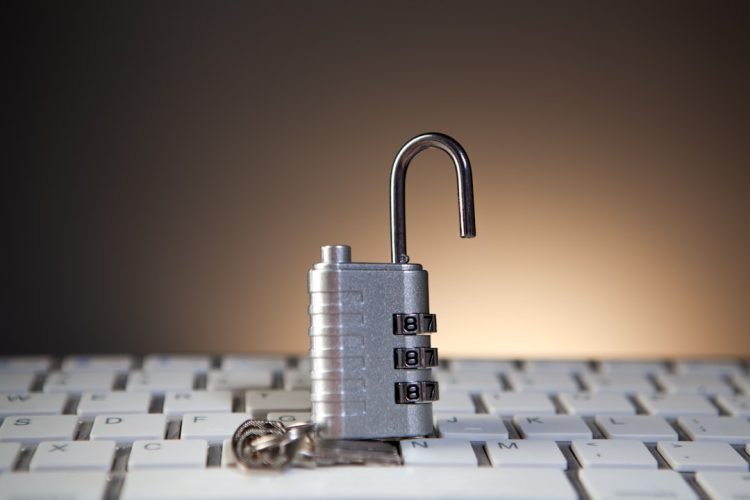
You’ve poured significant effort into building your small business, and your website is often the first – and sometimes only – impression potential customers have. It’s your digital storefront, your information hub, and the platform for many of your operations. However, this crucial asset is also a target. Without adequate security, a data breach or website compromise can have devastating consequences, ranging from financial losses and reputational damage to legal liabilities. You wouldn’t leave your physical store unlocked overnight, so you shouldn’t leave your digital one vulnerable. This guide outlines essential website security tips to help you fortify your online presence.
It might seem like the big corporations are the primary targets for cyberattacks, but that’s a misconception. In reality, small businesses are often seen as easier targets due to perceived weaker security defenses. Attackers understand that small businesses typically have fewer resources dedicated to cybersecurity, making them attractive for various malicious activities. This understanding is the first step in building a robust defense.
Why Small Businesses are Prime Targets
You might wonder why you, a small business owner, would be a target. The reasons are multifaceted.
Lowered Defenses, Higher Reward
Attackers often operate on a cost-benefit analysis. Targeting a small business with less sophisticated defenses can yield the same, or even greater, rewards than attempting to breach a heavily fortified enterprise. Your customer data, financial information, and login credentials are all valuable commodities on the dark web.
Supply Chain Vulnerabilities
Sometimes, small businesses are targeted not for their own data, but as a gateway into larger organizations they interact with. If you provide services or products to a larger company, a compromise of your systems could be used as a stepping stone to infiltrate their network. This makes securing your business vital for your partners as well.
Ransomware and Extortion
A common tactic is ransomware, where your website is encrypted or taken offline, and a ransom is demanded for its restoration. For a small business, extended downtime can be crippling, making you more likely to pay to get back online quickly.
Phishing and Business Email Compromise (BEC)
Your employees are also a potential entry point. Phishing attacks can trick your staff into divulging sensitive information or clicking malicious links, which can then lead to more widespread network compromise. BEC scams, where attackers impersonate executives to authorize fraudulent transactions, can also lead to significant financial losses.
Types of Common Website Attacks
Familiarizing yourself with the terminology and methods used by attackers will help you better understand the risks.
Malware
This is a broad category encompassing viruses, worms, Trojans, and other malicious software designed to disrupt, damage, or gain unauthorized access to your computer systems. On a website, malware can steal data, redirect users to malicious sites, or use your server to launch attacks on others.
SQL Injection
This attack targets databases that power your website. By inserting malicious SQL code into data input fields, attackers can manipulate your database, potentially gaining access to sensitive information or even taking control of it.
Cross-Site Scripting (XSS)
XSS attacks involve injecting malicious scripts into web pages viewed by other users. This can be used to steal cookies (which can contain login credentials), redirect users, or deface your website.
Denial-of-Service (DoS) and Distributed Denial-of-Service (DDoS) Attacks
These attacks aim to overwhelm your website with traffic, making it inaccessible to legitimate users. While not directly stealing data, they can cause significant business disruption and revenue loss during the downtime.
In addition to implementing top website security practices, small business owners should also consider optimizing their websites for better performance and user experience. A related article that provides valuable insights on this topic is titled “8 Best Website Optimization Tips for 2023.” You can read it to discover effective strategies that complement your security measures and enhance your website’s overall functionality. For more information, visit 8 Best Website Optimization Tips for 2023.
Proactive Measures: Building a Secure Foundation
Security isn’t an afterthought; it’s a fundamental aspect of your website’s design and ongoing management. Implementing these proactive measures will significantly reduce your vulnerability.
Securing Your Website Hosting Environment
The foundation of your website’s security lies with your hosting provider. Choosing a reputable provider and understanding their security practices is paramount.
Researching and Selecting a Reputable Host
When selecting a web host, look beyond just price. Investigate their security features, uptime guarantees, backup policies, and their reputation for handling security incidents. Don’t be afraid to ask direct questions about their security protocols.
Understanding Shared Hosting Risks
In shared hosting, you share server resources with other websites. While cost-effective, a security vulnerability on one site can potentially affect others on the same server. If your business handles highly sensitive data, consider dedicated or Virtual Private Server (VPS) options.
Utilizing Managed Hosting Services
Managed hosting providers often handle many security aspects for you, including server patching, malware scanning, and firewall management. This can be a good option if you lack dedicated IT staff.
Implementing Strong Password Policies
This might seem basic, but weak passwords are still a leading cause of security breaches.
Enforcing Complexity Requirements
Require passwords that are a combination of uppercase and lowercase letters, numbers, and symbols. This makes them significantly harder to guess or crack through brute-force attacks.
Mandating Regular Password Changes
While some argue against frequent mandatory changes due to users writing down passwords, a balance is important. Set a reasonable interval for password changes, perhaps every 90 days, and strongly encourage unique passwords for different services.
Encouraging the Use of Password Managers
Password managers are invaluable tools that generate and store strong, unique passwords for all your online accounts. This eliminates the need to remember numerous complex passwords and reduces the temptation to reuse weak ones.
Keeping Software Updated: The Patching Imperative
Outdated software is a gaping security hole. Attackers actively scan for systems running known vulnerabilities.
Regularly Updating Your Content Management System (CMS)
If you use a CMS like WordPress, Joomla, or Drupal, always keep it updated to the latest version. Developers release patches to fix security vulnerabilities discovered in previous versions.
Updating Plugins and Themes
Third-party plugins and themes are also common entry points for attackers. Ensure all your installed plugins and themes are also kept up-to-date. Consider removing any unused plugins or themes, as they can still present a risk if not maintained.
Monitoring for Security Advisories
Stay informed about security advisories related to your CMS, plugins, and themes. Subscribe to newsletters or follow relevant security blogs to be notified of critical updates.
Essential Security Tools and Techniques

Beyond foundational practices, there are specific tools and techniques you should integrate into your security strategy.
The Importance of SSL Certificates
An SSL (Secure Sockets Layer) certificate encrypts data transmitted between your website and its visitors. This is crucial for protecting sensitive information.
Ensuring Data Confidentiality
When visitors submit forms, enter login details, or make purchases on your site, an SSL certificate ensures this data is scrambled and unreadable to anyone intercepting it. You’ll typically see a padlock icon in the browser bar, indicating a secure connection.
Building User Trust
The visual cue of a secure connection fosters trust with your visitors. In today’s environment, users are increasingly aware of online security and are more likely to interact with and purchase from websites they perceive as safe.
Improving SEO Rankings
Search engines like Google favor websites with SSL certificates, often giving them a slight ranking boost. It’s a simple yet effective way to improve both security and your search engine visibility.
Implementing Website Firewalls
A firewall acts as a barrier between your website and the internet, scrutinizing incoming and outgoing traffic and blocking malicious requests.
Web Application Firewalls (WAFs)
WAFs are specifically designed to protect web applications from common web-based attacks like SQL injection and XSS. They can be deployed at the network edge or as a cloud-based service.
Server-Level Firewalls
Your hosting provider should also have server-level firewalls in place to protect the underlying infrastructure. Ensure they are properly configured and actively monitored.
Regular Security Audits and Vulnerability Scanning
You can’t fix what you don’t know is broken. Regular audits are essential for identifying weaknesses.
Performing Regular Backups
This is non-negotiable. Implement a robust backup strategy that includes regular, automated backups of your website’s files and database. Store these backups securely and off-site, and test them periodically to ensure they can be restored successfully.
Utilizing Website Security Scanners
There are numerous online tools and plugins that can scan your website for malware, outdated software, and known vulnerabilities. Schedule these scans regularly and act on any identified issues promptly.
Engaging Professional Security Audits
For mission-critical websites, consider engaging professional security auditors for periodic penetration testing and in-depth vulnerability assessments. This provides a more comprehensive evaluation of your security posture.
Protecting Your Data: User Information and Business Records
Your website likely collects and stores various forms of data, from customer contact details to payment information. Proper data protection is paramount.
Securely Storing Sensitive Information
Where and how you store data has direct security implications.
Encryption of Sensitive Data
Any sensitive data you store, especially customer personally identifiable information (PII) and financial details, should be encrypted. This makes the data unreadable even if it’s somehow accessed.
Minimizing Data Collection
Only collect the data you absolutely need for your business operations. The less data you store, the less there is to be compromised. Regularly review your data retention policies and securely dispose of data that is no longer necessary.
Access Control and Least Privilege
Implement strict access controls to your databases and any systems where sensitive data is stored. Only grant access to individuals who absolutely require it to perform their job functions, and only provide them with the minimum permissions necessary (principle of least privilege).
Securely Handling Payment Card Information
If you process credit card payments, security is critically important and often legally mandated.
Adhering to PCI DSS Standards
The Payment Card Industry Data Security Standard (PCI DSS) outlines crucial security requirements for businesses that handle credit card information. Ensure you understand and comply with these standards to avoid hefty fines and reputational damage.
Using Reputable Payment Gateways
Integrate your website with well-established and PCI-compliant payment gateways. These services are designed with security in mind and handle much of the sensitive transaction processing securely. Avoid managing credit card data directly on your own servers if possible.
Protecting Against Phishing and Social Engineering
Your employees can be your strongest defense or your weakest link. Educating them is key.
Conducting Regular Security Awareness Training
Train your employees on how to identify phishing emails, suspicious links, and social engineering tactics. This training should be ongoing and include practical examples.
Establishing Clear Communication Protocols
Define clear protocols for how sensitive information is requested and verified, especially for financial transactions. For example, mandate that large wire transfers or changes to payment details must be confirmed via a secondary channel, not just email.
For small business owners looking to enhance their online presence, understanding website security is crucial. Implementing top security practices can significantly protect sensitive customer data and build trust. Additionally, exploring how business hosting can boost your online sales and revenue can provide valuable insights into optimizing your website’s performance while ensuring its security. For more information, you can read this insightful article on business hosting.
Ongoing Vigilance and Incident Response
| Security Practice | Description |
|---|---|
| Use HTTPS | Secure your website with an SSL certificate to encrypt data transmitted between the user’s browser and your server. |
| Regular Updates | Keep your website platform, plugins, and themes updated to patch security vulnerabilities. |
| Strong Passwords | Enforce the use of strong, unique passwords for all user accounts and administrative access. |
| Backup Data | Regularly backup your website data to a secure location to prevent data loss in case of a security breach. |
| Security Plugins | Install and configure security plugins to monitor and protect your website from malware and other threats. |
Website security is not a one-time setup; it requires continuous effort and a plan for when things go wrong.
Monitoring Your Website for Suspicious Activity
Active monitoring can help you detect compromises early.
Implementing Intrusion Detection Systems (IDS)
IDS can monitor your network traffic and server logs for suspicious patterns that might indicate an attack.
Reviewing Website Logs Regularly
Make it a practice to periodically review your website and server logs for unusual activity, such as a high volume of failed login attempts, unexpected file modifications, or access from unusual geographic locations.
Utilizing Website Uptime Monitoring
While primarily for performance, uptime monitoring can also alert you if your website suddenly goes offline, which could be a sign of a DDoS attack or other security incident.
Developing an Incident Response Plan
Knowing what to do when a security incident occurs can significantly mitigate the damage.
Defining Roles and Responsibilities
Clearly outline who is responsible for what during a security incident, from initial containment to communication and recovery.
Establishing Communication Channels
Determine how you will communicate with your team, customers, and potentially regulatory bodies in the event of a breach.
Practicing Your Plan
Run mock incident response drills to ensure your team is familiar with the plan and can execute it effectively under pressure.
Seeking Professional Help When Needed
Don’t be afraid to leverage external expertise.
Consulting with Cybersecurity Professionals
If you lack in-house expertise, consider partnering with a cybersecurity firm. They can help with assessments, implementation of security measures, and incident response.
Understanding Your Legal Obligations
Familiarize yourself with data privacy laws and regulations applicable to your business and industry (e.g., GDPR, CCPA). Understanding your legal obligations will guide your security practices and your response to a breach.
By implementing these essential website security tips, you are taking a significant step towards protecting your business, your customers, and your reputation in the digital landscape. Security is an ongoing commitment, and a proactive approach will serve your small business far better than a reactive one.
FAQs
1. Why is website security important for small business owners?
Website security is important for small business owners because it helps protect sensitive customer information, prevents data breaches, and maintains the trust of customers. A secure website also helps to protect the business’s reputation and can prevent costly legal and financial repercussions.
2. What are some top website security practices for small business owners?
Some top website security practices for small business owners include using strong, unique passwords, keeping software and plugins updated, using SSL encryption, implementing a web application firewall, and regularly backing up website data.
3. How can small business owners protect against common website security threats?
Small business owners can protect against common website security threats by educating themselves and their employees about potential risks, implementing strong access controls, using secure hosting services, and regularly scanning for malware and vulnerabilities.
4. What are the potential consequences of a website security breach for small businesses?
Potential consequences of a website security breach for small businesses include loss of customer trust, financial losses due to theft of sensitive information, legal liabilities, damage to the business’s reputation, and potential downtime for the website.
5. How can small business owners stay updated on the latest website security best practices?
Small business owners can stay updated on the latest website security best practices by following reputable cybersecurity blogs and news sources, attending webinars and workshops, and seeking guidance from cybersecurity professionals or consultants. Regularly reviewing and updating security protocols is also important.









Add comment