

You maintain a website, a digital storefront, a personal blog, or an intricate web application. Regardless of its purpose, the security of your site is not merely a feature; it is fundamental. You understand that in an era of increasing cyber threats, a visible indicator of trust and the assurance of data privacy are paramount. This guide will navigate you through the complexities of SSL certificates, explaining their function, importance, and the various considerations you must make when integrating them into your web hosting environment.
At its core, SSL (Secure Sockets Layer) and its successor, TLS (Transport Layer Security), are cryptographic protocols designed to secure communication over a computer network. You might encounter these terms interchangeably, but it’s important to recognize that TLS has largely superseded SSL, with most modern implementations referring to TLS. When you visit a website secured with SSL/TLS, your browser and the website’s server perform a ‘handshake,’ a series of steps to establish a secure, encrypted connection.
How the SSL/TLS Handshake Works
Imagine two individuals attempting to converse in a public space, but they wish their conversation to remain private. They agree on a secret code. This is analogous to the SSL/TLS handshake.
- Client Hello: Your browser (the client) initiates the communication by sending a “Client Hello” message to the website’s server. This message includes the TLS versions it supports, preferred cipher suites (combinations of cryptographic algorithms), and a random string of bytes.
- Server Hello: The server responds with a “Server Hello” message, selecting the TLS version and cipher suite that it and your browser both support. It also sends its digital certificate.
- Certificate Exchange: Your browser then inspects the server’s certificate. This certificate contains the server’s public key, the domain name it secures, the issuing Certificate Authority (CA), and a digital signature for verification. Your browser verifies the certificate’s authenticity, ensuring it hasn’t been tampered with and was issued by a trusted CA.
- Key Exchange: If the certificate is valid, your browser generates a session key (a secret key for this specific communication) and encrypts it using the server’s public key (found in the certificate). It then sends this encrypted session key to the server.
- Cipher Spec Change & Finished: The server decrypts the session key using its private key (which is never transmitted). Both your browser and the server now possess the same secret session key. They then exchange “Change Cipher Spec” messages, indicating that subsequent communication will be encrypted using this session key. Finally, “Finished” messages are sent, further encrypted with the session key, confirming that the handshake is complete and secure communication can begin.
The Role of Public Key Infrastructure (PKI)
The entire SSL/TLS ecosystem relies on Public Key Infrastructure (PKI). This framework ensures the trustworthiness of digital certificates. A crucial component of PKI is the Certificate Authority (CA). When you obtain an SSL certificate, you are essentially asking a trusted third party (the CA) to verify your identity and bind your public key to your domain name. Your browser has a pre-installed list of trusted CAs. If a website’s certificate is not issued by one of these trusted CAs, your browser will display a warning, indicating a potential security risk.
For those looking to enhance their website’s performance alongside securing it with SSL certificates, a great resource is the article on website optimization tips. You can find valuable insights on improving your site’s speed and efficiency in this related article: 8 Best Website Optimization Tips for 2023. By combining the knowledge from both articles, you can ensure that your website is not only secure but also optimized for the best user experience.
Why SSL/TLS is Indispensable for Your Website
The implementation of SSL/TLS is no longer optional; it is a fundamental requirement for any legitimate website. Its importance extends beyond mere encryption, impacting user trust, search engine ranking, and regulatory compliance.
Ensuring Data Confidentiality and Integrity
The primary function of SSL/TLS is to encrypt the data transmitted between your website and your visitors. When a visitor submits sensitive information – be it login credentials, credit card details, or personal data – SSL/TLS transforms this information into an unreadable format. This encryption acts as a shield, preventing eavesdroppers, such as malicious actors, from intercepting and understanding the data. Without SSL/TLS, this information would travel across the internet in plain text, akin to sending a postcard with critical information visible to anyone. Furthermore, SSL/TLS ensures data integrity, meaning that the data exchanged cannot be altered without detection during transmission. If any modification occurs, both the client and server will be aware, preventing tampering.
Building User Trust and Credibility
Consider the visual cues. When your website uses SSL/TLS, browsers display a padlock icon in the address bar, often accompanied by “https://” instead of “http://”. For certain higher-assurance certificates, the company name might even appear in green. These visual indicators are universally recognized symbols of security and trust. When users see these, they are more likely to feel secure interacting with your site, whether making a purchase, signing up for a service, or simply browsing content. Conversely, if your site displays a “Not Secure” warning in the address bar (which modern browsers do for all HTTP sites), it can immediately deter visitors, negatively impacting your bounce rate and conversions.
SEO Benefits: A Google Ranking Factor
Search engines, particularly Google, prioritize secure websites. Google officially announced in 2014 that HTTPS is a ranking signal. While it might be a relatively minor signal compared to content quality or backlinks, it is still a factor that can contribute to your search engine optimization (SEO) efforts. Websites with SSL/TLS are generally favored in search results over those without, providing a slight advantage in visibility. In a competitive online landscape, every advantage counts. Therefore, implementing SSL/TLS not only secures your users but also contributes to your website’s discoverability.
Compliance with Industry Standards and Regulations
Depending on the nature of your website and the data you handle, adhering to specific industry standards and regulations might be mandated. For instance, if you process credit card payments, you must comply with the Payment Card Industry Data Security Standard (PCI DSS). PCI DSS explicitly requires the use of strong cryptography, including SSL/TLS, to protect sensitive cardholder data during transmission. Similarly, regulations like the General Data Protection Regulation (GDPR) in the European Union emphasize data protection and privacy, which SSL/TLS directly supports. Non-compliance with these regulations can lead to substantial fines and reputational damage.
Types of SSL Certificates: Choosing the Right Level of Assurance

Not all SSL certificates are created equal. They vary in the level of validation required and the features they offer, impacting both the cost and the visual indicators of trust displayed in browsers. You must select a certificate that aligns with your website’s purpose and your organization’s needs.
Domain Validation (DV) Certificates
DV certificates are the most basic and quickest to obtain. The Certificate Authority (CA) only verifies that you have control over the domain name. This validation process can be done through email verification, DNS records, or file-based methods.
- Characteristics:
- Low Assurance: Provides encryption but minimal identity verification.
- Fast Issuance: Often issued within minutes to a few hours.
- Cost-Effective: Often free, especially from providers like Let’s Encrypt.
- Browser Display: Shows a padlock icon and “https://”.
- Suitability: Ideal for personal blogs, small informational websites, internal systems, or any site where robust identity verification is not a primary concern but encryption is needed. Think of it as putting a lock on your digital door, but not necessarily verifying who lives inside.
Organization Validation (OV) Certificates
OV certificates require a more thorough vetting process. The CA verifies not only domain ownership but also the legitimacy of your organization. This typically involves checking business registration documents, phone numbers, and physical addresses.
- Characteristics:
- Medium Assurance: Provides encryption and verifies your organization’s legitimacy.
- Moderate Issuance Time: Takes a few days as manual verification is involved.
- Moderate Cost: More expensive than DV certificates.
- Browser Display: Shows a padlock icon and “https://”, and often includes organization details when viewing the certificate information.
- Suitability: Recommended for public-facing business websites, e-commerce sites, and intranets where users benefit from knowing they are interacting with a legitimate entity. This is like having a lock on your door and a nameplate verifying the building’s owner.
Extended Validation (EV) Certificates
EV certificates offer the highest level of trust and assurance. The validation process is extremely rigorous, involving extensive background checks on the organization, including physical, operational, and legal existence.
- Characteristics:
- High Assurance: Provides encryption and the strongest level of identity verification.
- Longer Issuance Time: Can take several days to weeks due to comprehensive manual validation.
- Highest Cost: Significantly more expensive than DV or OV certificates.
- Browser Display: Historically, these certificates displayed a green address bar with the organization’s name prominently visible. While some modern browsers have phased out the green bar, they still show the padlock and “https://”, and detailed organization information is readily available when inspecting the certificate.
- Suitability: Essential for high-profile institutions, financial organizations, large e-commerce platforms, and websites handling highly sensitive data where maximum trust and fraud prevention are critical. This is like having a heavily fortified vault with biometric access, and extensive documentation verifying the owner’s credentials.
Wildcard and Multi-Domain (SAN) Certificates
Beyond the validation levels, certificates can also differ in the number of domains or subdomains they secure:
- Wildcard SSL Certificates: These certificates secure a primary domain and an unlimited number of subdomains under it (e.g.,
*.yourdomain.com). This means you can secureblog.yourdomain.com,shop.yourdomain.com,app.yourdomain.com, etc., all with a single certificate. - Suitability: Ideal for organizations with numerous subdomains, simplifying certificate management and reducing costs compared to purchasing individual certificates for each subdomain.
- Multi-Domain (SAN) SSL Certificates: Also known as Subject Alternative Name (SAN) certificates, these allow you to secure multiple distinct domain names and subdomains with a single certificate (e.g.,
yourdomain.com,yourdomain.net,example.org,blog.yourdomain.com). - Suitability: Perfect for companies managing multiple websites or distinct domains, consolidating certificate management.
Obtaining and Installing Your SSL Certificate
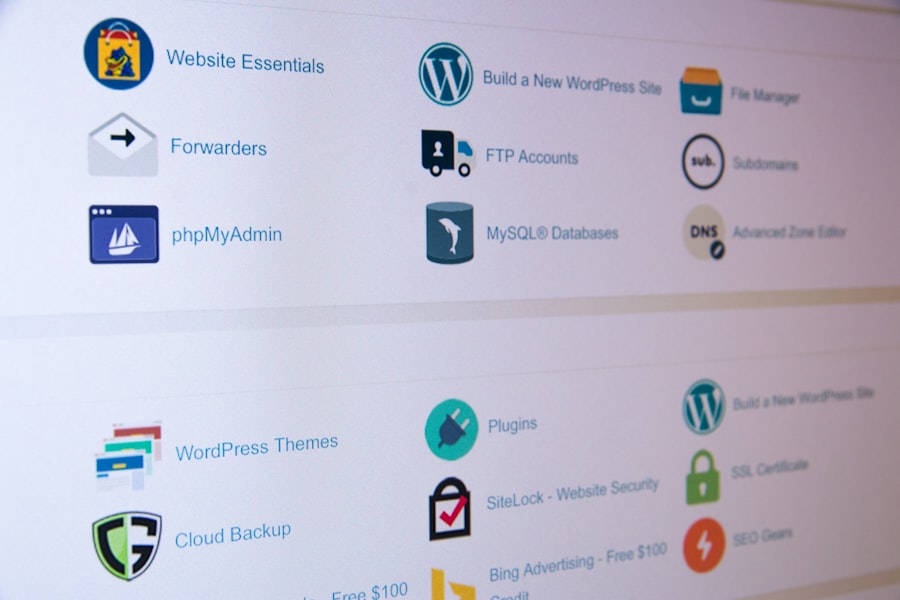
Once you’ve decided on the type of SSL certificate you need, the next step is to acquire and install it. This process can vary slightly depending on your web host and the certificate provider.
Generating a Certificate Signing Request (CSR)
Before you can obtain a certificate from a Certificate Authority (CA), you must generate a Certificate Signing Request (CSR) on your web server. The CSR is an encrypted block of text containing information about your domain and organization, along with your public key. Think of it as an application form that you submit to the CA.
- Key components of a CSR include:
- Common Name (CN): Your fully qualified domain name (e.g.,
www.yourdomain.com). - Organization (O): The legal name of your organization.
- Organizational Unit (OU): The division within your organization (optional).
- Locality (L): Your city or town.
- State/Province (ST): Your state or province.
- Country (C): Your country’s two-letter code.
Most hosting control panels (like cPanel, Plesk) or server environments (Apache, Nginx, IIS) provide tools or commands to generate a CSR. When you generate a CSR, a corresponding private key is also created on your server. This private key is crucial and must remain confidential and securely stored on your server; it is never submitted to the CA.
Selecting a Certificate Authority (CA)
You have a choice of CAs, ranging from established commercial providers to free options.
- Commercial CAs: Companies like DigiCert, Sectigo (formerly Comodo CA), GlobalSign, and GoDaddy offer a range of DV, OV, and EV certificates with varying features, support, and price points. They often provide additional services like warranty and phishing protection.
- Free CAs: Let’s Encrypt is a non-profit CA that provides free DV SSL certificates. It has gained immense popularity due to its ease of use and mission to encrypt the entire web.
- Advantages of Let’s Encrypt: Free, automated renewal, widely supported by web hosts.
- Considerations: Only offers DV certificates, issuance is automated via ACME protocol, requiring specific server configurations or host support.
After generating your CSR, you will submit it to your chosen CA. The CA will then perform the necessary validation steps based on the certificate type you’ve purchased or requested.
Installing the Certificate on Your Web Server
Once the CA validates your request and issues the certificate, you will receive a set of files, typically including:
- Your primary certificate file (.crt or .cer): This is your domain’s SSL certificate.
- Intermediate certificate(s) file (.crt or .pem): These certificates establish a chain of trust back to a trusted root CA.
- Root certificate file (.crt or .pem): The ultimate trusted certificate in the chain. Sometimes this is bundled with the intermediate certificates.
You will need to install these files on your web server alongside the private key that was generated with your CSR. The exact installation process depends on your web server software (Apache, Nginx, IIS) or your hosting control panel:
- Using a Hosting Control Panel (cPanel, Plesk, etc.): Most hosting providers offer user-friendly interfaces to upload your certificate files, typically found under “SSL/TLS” or “Security” sections. You usually paste the certificate, private key, and certificate authority bundle into designated fields.
- Manual Installation (Apache, Nginx): For self-managed servers, you will typically edit your server configuration files. For Apache, this involves configuring your VirtualHost to listen on port 443 (HTTPS) and specifying the paths to your certificate file (
SSLCertificateFile), private key file (SSLCertificateKeyFile), and certificate chain file (SSLCertificateChainFileorSSLCACertificateFile). Nginx uses similar directives likessl_certificate,ssl_certificate_key, andssl_trusted_certificate.
After installation, you need to restart your web server for the changes to take effect.
Configuring Your Website for HTTPS
Installing the certificate is only one part of the equation. You must also ensure your website is configured to exclusively use HTTPS.
- Forcing HTTPS (Redirection): You must redirect all HTTP traffic to HTTPS. This is typically done via your server’s configuration file (e.g.,
.htaccessfor Apache, Nginx configuration files) or through your content management system (CMS) settings. - Apache Example (.htaccess):
“`
RewriteEngine On
RewriteCond %{HTTPS} off
RewriteRule ^(.*)$ https://%{HTTP_HOST}%{REQUEST_URI} [L,R=301]
“`
- Nginx Example:
“`
server {
listen 80;
server_name yourdomain.com www.yourdomain.com;
return 301 https://$host$request_uri;
}
“`
- Updating Internal Links and Resources: You must ensure that all internal links, images, CSS files, JavaScript files, and other resources on your website are loaded over HTTPS. If any resources are still loaded over HTTP, this will result in “mixed content” warnings in browsers, which can break the secure connection indicator. Tools and plugins are available for various CMS platforms to help identify and fix mixed content issues.
- Updating Google Search Console & Analytics: Inform Google of your site’s move to HTTPS by updating your property in Google Search Console. While Google can detect the change, doing this explicitly helps with faster indexing and data consistency.
For those looking to enhance their understanding of web security, a great complement to The Complete Guide to SSL Certificates for Web Hosting is an article that discusses common pitfalls in blogging and how to avoid them. This resource can provide valuable insights for beginners aiming to create a secure and effective online presence. You can read more about these essential tips in this informative piece on blogging mistakes and how to navigate them successfully.
Maintaining Your SSL Certificate and Ensuring Ongoing Security
| SSL Certificate Type | Validation Level | Use Case | Encryption Strength | Typical Issuance Time | Price Range | Supported Domains |
|---|---|---|---|---|---|---|
| Domain Validated (DV) | Basic | Personal websites, blogs | Up to 256-bit | Minutes to hours | Free to low | Single domain |
| Organization Validated (OV) | Moderate | Business websites | Up to 256-bit | 1-3 days | Moderate | Single domain |
| Extended Validation (EV) | High | E-commerce, financial sites | Up to 256-bit | 3-7 days | Higher | Single domain |
| Wildcard SSL | DV or OV | Multiple subdomains | Up to 256-bit | Minutes to days | Moderate | One domain + unlimited subdomains |
| Multi-Domain SSL (SAN) | DV, OV, or EV | Multiple domains | Up to 256-bit | Minutes to days | Moderate to high | Multiple domains (up to 100) |
An SSL certificate is not a set-it-and-forget-it solution. To maintain continuous security and avoid service interruptions, you must implement a robust maintenance strategy.
Certificate Renewal
SSL certificates have a limited validity period, typically 1 to 2 years (though some CAs offer shorter terms). You must renew your certificate before it expires. Expiry leads to “Your connection is not private” errors in browsers, which will immediately deter visitors and severely impact your website’s functionality and reputation.
- Monitoring Expiry Dates: Keep track of your certificate’s expiry date. Many CAs and hosting providers send automated email notifications as the expiry date approaches.
- Automated Renewal (Let’s Encrypt): One of the significant advantages of Let’s Encrypt certificates is their automated renewal process, often handled by tools like Certbot or integrated directly by your web host. This significantly reduces the risk of accidental expiry.
- Manual Renewal (Commercial CAs): For commercial certificates, the renewal process typically involves generating a new CSR (or sometimes reusing an existing one, if the CA allows), submitting it to the CA, and installing the new certificate files. It’s essentially a repeat of the initial acquisition and installation steps.
Strengthening Your SSL/TLS Configuration
Beyond just having a certificate, the way your server is configured to use SSL/TLS also plays a crucial role in security.
- Disabling Weak Protocols: Ensure your server is configured to disable older, less secure TLS versions (like SSLv2, SSLv3, and even TLS 1.0, 1.1) and only use strong, modern versions like TLS 1.2 and TLS 1.3. These older protocols are susceptible to known vulnerabilities.
- Using Strong Cipher Suites: Configure your server to use only strong, secure cipher suites. A cipher suite is a set of algorithms used for key exchange, encryption, and message authentication during the SSL/TLS handshake. Avoid outdated or weak ciphers.
- Implementing HTTP Strict Transport Security (HSTS): HSTS is a security policy mechanism that helps protect websites against downgrade attacks and cookie hijacking. When a browser visits a site with HSTS enabled for the first time, the server can instruct the browser to only communicate with that site over HTTPS for a specified period of time, even if a user explicitly types “http://” or clicks an insecure link. This significantly enhances security. You implement HSTS by adding a
Strict-Transport-Securityheader to your HTTP responses. - Regular Security Scans: Utilize online SSL/TLS testing tools (e.g., SSL Labs’ SSL Server Test) to periodically analyze your server’s SSL/TLS configuration. These tools provide a detailed report, identifying weaknesses, insecure protocols, and cipher suites, and offering recommendations for improvement. Aim for an “A” or “A+” rating.
Staying Informed About Vulnerabilities
The landscape of cybersecurity is constantly evolving. New vulnerabilities in SSL/TLS protocols, cryptographic algorithms, or their implementations can emerge.
- Monitor Security Advisories: Stay informed by following security news, reputable cybersecurity blogs, and official advisories from organizations like the National Institute of Standards and Technology (NIST) or your CA.
- Patch Your Server Software: Ensure your web server software (Apache, Nginx, IIS) and operating system are kept up-to-date with the latest security patches. Many SSL/TLS vulnerabilities are mitigated through software updates.
By meticulously attending to these ongoing maintenance tasks, you ensure that your investment in an SSL certificate continues to provide the intended security benefits, fostering user trust and safeguarding your online presence against potential threats. The digital realm is a dynamic environment, and your security posture must reflect this constant evolution.
FAQs
What is an SSL certificate and why is it important for web hosting?
An SSL (Secure Sockets Layer) certificate is a digital certificate that encrypts data transmitted between a user’s browser and a web server. It ensures secure communication, protects sensitive information, and helps build trust with website visitors. SSL certificates are essential for web hosting because they enable HTTPS, which improves security and can positively impact search engine rankings.
How do I choose the right SSL certificate for my website?
Choosing the right SSL certificate depends on your website’s needs. For personal blogs or small websites, a Domain Validated (DV) certificate is usually sufficient. For businesses handling sensitive data or e-commerce sites, an Organization Validated (OV) or Extended Validation (EV) certificate offers higher trust and validation levels. Consider factors like the number of domains or subdomains you need to secure and your budget.
Can I install an SSL certificate myself, or do I need a web hosting provider’s help?
Many web hosting providers offer easy SSL certificate installation through their control panels, often with one-click options. If you purchase an SSL certificate separately, you can usually install it yourself by following the hosting provider’s instructions. However, if you are unfamiliar with the process, your hosting provider’s support team can assist with installation and configuration.
What is the difference between free and paid SSL certificates?
Free SSL certificates, such as those from Let’s Encrypt, provide basic encryption and are suitable for most websites. Paid SSL certificates often come with additional features like extended validation, warranty protection, and customer support. Paid certificates may also offer longer validity periods and are preferred by businesses that require higher trust levels.
How often do SSL certificates need to be renewed?
SSL certificates typically need to be renewed every 1 to 2 years, depending on the certificate authority and type of certificate. Some free SSL certificates, like Let’s Encrypt, require renewal every 90 days but can be automatically renewed. It is important to renew your SSL certificate before it expires to maintain secure connections and avoid browser warnings.









Add comment