

In our increasingly digital world, the need for robust security measures has never been more critical. Two-Factor Authentication (2FA) is one such measure that has gained significant traction in recent years. At its core, 2FA adds an extra layer of security to our online accounts by requiring not just a password but also a second form of verification.
This second factor can be something we have, like a smartphone or a hardware token, or something we are, such as a fingerprint or facial recognition. By implementing 2FA, we significantly reduce the risk of unauthorized access to our accounts, even if our passwords are compromised. Understanding how 2FA works is essential for us to appreciate its value.
When we log into an account with 2FA enabled, we first enter our username and password. After this initial step, we are prompted to provide the second factor of authentication. This could involve entering a code sent to our mobile device, using an authentication app, or even responding to a biometric prompt.
This two-step process ensures that even if someone manages to steal our password, they would still need the second factor to gain access, thereby enhancing our overall security posture.
Key Takeaways
- Two-Factor Authentication (2FA) adds an extra security layer by requiring two forms of verification to access your hosting account.
- Securing your hosting account with 2FA helps prevent unauthorized access and protects sensitive data.
- Choosing the right 2FA method, such as authenticator apps or hardware tokens, depends on your convenience and security needs.
- Proper setup, management, and troubleshooting of 2FA are essential to maintain continuous protection without access issues.
- Integrating 2FA with other security measures enhances overall account security and prepares you for future advancements in authentication technology.
The Importance of Securing Your Hosting Account
Our hosting account serves as the backbone of our online presence, whether we are running a personal blog, an e-commerce site, or a corporate website. Given its significance, securing this account should be a top priority for us. A compromised hosting account can lead to devastating consequences, including data loss, website defacement, and even financial theft.
By ensuring that our hosting account is secure, we protect not only our own interests but also those of our users and clients. Moreover, the repercussions of a security breach extend beyond immediate financial losses. They can damage our reputation and erode trust among our audience.
In today’s competitive landscape, maintaining a trustworthy image is crucial for success. By prioritizing the security of our hosting account through measures like 2FA, we demonstrate to our users that we take their safety seriously. This proactive approach can foster loyalty and encourage continued engagement with our brand.
Setting Up 2FA for Your Hosting Account

Setting up 2FA for our hosting account is a straightforward process that can significantly enhance our security. Most hosting providers offer built-in options for enabling 2FA within their account settings. To begin, we should log into our hosting account and navigate to the security settings section.
Here, we will typically find an option to enable two-factor authentication. Following the prompts will guide us through the setup process. Once we have enabled 2FA, we will need to choose our preferred method of receiving the second factor.
This could involve linking an authentication app like Google Authenticator or Authy to our account or opting for SMS-based verification. Regardless of the method we choose, it’s essential to follow any additional instructions provided by our hosting provider to ensure that the setup is completed correctly. After setting up 2FA, we should test it by logging out and logging back in to confirm that everything is functioning as expected.
Choosing the Right 2FA Method for You
When it comes to selecting the right method for two-factor authentication, we have several options at our disposal. Each method has its own advantages and disadvantages, and understanding these can help us make an informed decision. One popular choice is using an authentication app, which generates time-based one-time passwords (TOTPs).
These apps are generally considered more secure than SMS-based methods because they do not rely on mobile networks that can be vulnerable to interception. Alternatively, we might prefer SMS-based verification for its simplicity and ease of use. While this method is convenient, it is worth noting that it may not be as secure as using an authentication app due to potential vulnerabilities in mobile networks.
Additionally, some hosting providers offer hardware tokens as a form of 2FThese physical devices generate codes that we can use for authentication and are often seen as one of the most secure options available. Ultimately, the choice of 2FA method should align with our personal preferences and security needs.
Common Misconceptions About 2FA
| Metric | Description | Typical Value | Impact on Security |
|---|---|---|---|
| Authentication Factors | Number of verification methods required to access account | 2 (Password + One-time code) | Significantly reduces risk of unauthorized access |
| Time to Implement 2FA | Average time required to enable and configure 2FA on hosting account | 5-10 minutes | Minimal setup effort for high security gain |
| Reduction in Account Breaches | Percentage decrease in successful account hacks after 2FA implementation | Up to 99.9% | Drastically lowers risk of account compromise |
| Common 2FA Methods | Types of second factors used | Authenticator apps, SMS codes, Hardware tokens | Varies in security; authenticator apps preferred |
| User Adoption Rate | Percentage of hosting users who enable 2FA when available | 40-60% | Higher adoption improves overall platform security |
| Account Recovery Time | Time required to regain access if 2FA device is lost | Minutes to hours | Depends on recovery options; important for usability |
Despite its growing popularity, there are still several misconceptions surrounding two-factor authentication that we should address. One common myth is that 2FA is too complicated or time-consuming to set up and use. In reality, most hosting providers have streamlined the process to make it user-friendly.
Once we have set it up, using 2FA typically adds only a few extra seconds to our login process. Another misconception is that 2FA guarantees complete security. While it significantly enhances our protection against unauthorized access, it is not foolproof.
Cybercriminals are continually evolving their tactics, and no security measure can provide absolute protection. Therefore, while implementing 2FA is crucial, it should be part of a broader security strategy that includes strong passwords and regular software updates.
How 2FA Protects Your Hosting Account
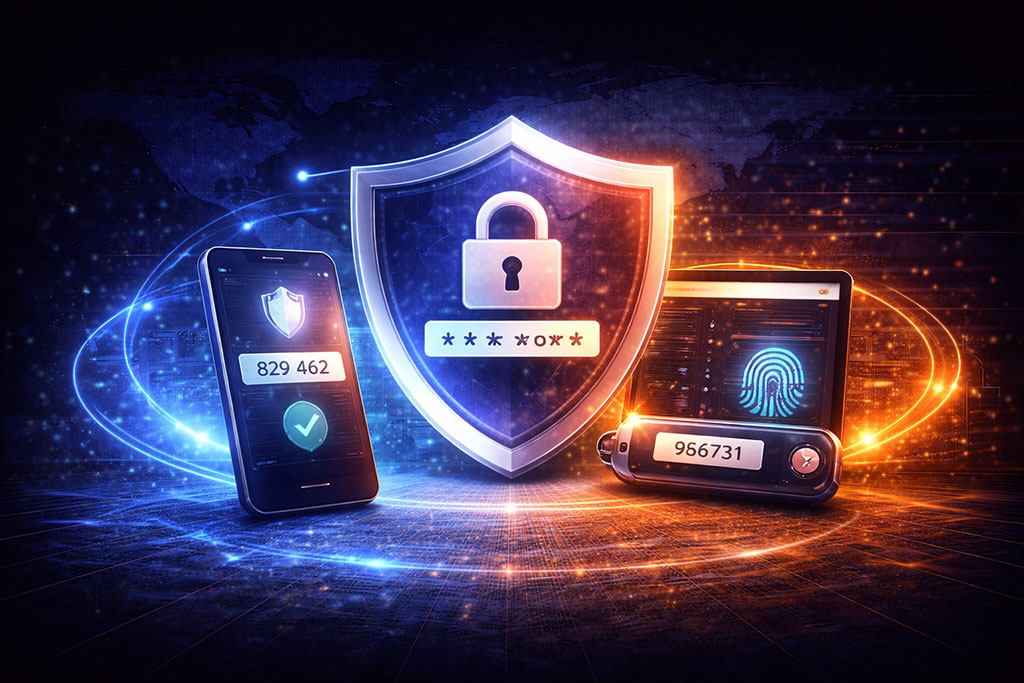
The primary function of two-factor authentication is to add an additional layer of security to our hosting accounts. By requiring two forms of verification before granting access, we create a formidable barrier against unauthorized users. Even if someone manages to obtain our password through phishing or other means, they would still need the second factor—whether it’s a code from an app or a text message—to gain entry.
Moreover, 2FA helps us monitor access attempts more effectively. Many authentication methods provide logs or notifications when a login attempt occurs from an unrecognized device or location. This feature allows us to respond quickly to potential threats by changing passwords or locking accounts if necessary.
In this way, 2FA not only protects us at the point of entry but also provides ongoing vigilance against unauthorized access.
Tips for Creating a Strong 2FA Setup
To maximize the effectiveness of our two-factor authentication setup, there are several best practices we should consider implementing. First and foremost, we should choose a strong and unique password for our hosting account that is difficult for others to guess. This foundational step ensures that even if someone attempts to bypass 2FA by stealing our password, they will still face significant challenges.
Additionally, we should regularly review and update our 2FA methods and settings. If we notice any suspicious activity or if we change devices frequently, it may be wise to reset our 2FA settings and re-establish them with new methods or devices. Furthermore, keeping backup codes in a secure location can be invaluable in case we lose access to our primary 2FA method.
Troubleshooting 2FA Issues
While two-factor authentication greatly enhances security, it can sometimes lead to challenges that require troubleshooting. One common issue arises when we change phones or lose access to our authentication app. In such cases, having backup codes stored securely can help us regain access without too much hassle.
It’s essential for us to familiarize ourselves with the recovery options provided by our hosting provider during the initial setup process. Another potential issue could be related to time synchronization between devices when using time-based one-time passwords (TOTPs). If the time on our device is not accurately synced with the server’s time, the codes generated may not work correctly.
To resolve this issue, we should ensure that both devices are set to automatically update their time settings based on network time.
Best Practices for Managing 2FA for Your Hosting Account
Managing two-factor authentication effectively requires ongoing diligence on our part. One best practice is to periodically review which devices have access to our hosting account and remove any that are no longer in use or recognized by us. This proactive approach minimizes potential vulnerabilities associated with outdated devices.
Additionally, we should educate ourselves about phishing attacks and other social engineering tactics that cybercriminals may use to bypass 2FA measures. By staying informed about these threats and recognizing suspicious communications or requests for information, we can better protect ourselves and our accounts from potential breaches.
Integrating 2FA with Other Security Measures
While two-factor authentication is a powerful tool in securing our hosting accounts, it should not be viewed as a standalone solution. Integrating 2FA with other security measures creates a more comprehensive defense strategy against cyber threats. For instance, employing strong password policies alongside 2FA can significantly enhance overall security.
We might also consider implementing regular security audits and vulnerability assessments on our hosting environment. These proactive measures allow us to identify potential weaknesses before they can be exploited by malicious actors. Additionally, keeping software up-to-date and utilizing firewalls can further bolster our defenses against unauthorized access.
The Future of 2FA and Hosting Account Security
As technology continues to evolve, so too will the methods used by cybercriminals and the tools available for securing our online accounts. The future of two-factor authentication looks promising as advancements in biometric technology and machine learning pave the way for more sophisticated security measures. We may soon see more widespread adoption of biometric verification methods such as facial recognition or fingerprint scanning as standard practices in securing hosting accounts.
Moreover, as awareness around cybersecurity grows among users and businesses alike, we can expect increased emphasis on education regarding best practices for online security. This shift will likely lead to more organizations adopting comprehensive security frameworks that include robust two-factor authentication protocols as part of their standard operating procedures. In conclusion, understanding and implementing two-factor authentication is essential for securing our hosting accounts in today’s digital landscape.
By prioritizing this additional layer of protection alongside other security measures, we can safeguard not only our own interests but also those of our users and clients against potential threats in an ever-evolving cyber environment.
FAQs
What is Two-Factor Authentication (2FA)?
Two-Factor Authentication (2FA) is a security process that requires users to provide two different forms of identification before accessing an account. Typically, this involves something you know (like a password) and something you have (like a smartphone or hardware token).
Why is 2FA important for hosting accounts?
2FA adds an extra layer of security to hosting accounts by making it significantly harder for unauthorized users to gain access, even if they have the password. This helps protect sensitive data, websites, and server configurations from cyberattacks.
How does 2FA work?
After entering your username and password, 2FA requires you to provide a second verification factor. This could be a code generated by an authenticator app, a text message (SMS) code, a hardware token, or biometric verification.
What types of 2FA methods are commonly used?
Common 2FA methods include authenticator apps (like Google Authenticator or Authy), SMS-based codes, email verification, hardware tokens (such as YubiKey), and biometric factors like fingerprint or facial recognition.
Can 2FA prevent all types of hacking attempts?
While 2FA significantly reduces the risk of unauthorized access, it is not foolproof. It greatly enhances security but should be used alongside other best practices like strong passwords, regular software updates, and secure network connections.
Is 2FA difficult to set up on hosting accounts?
Most hosting providers offer straightforward 2FA setup processes, often accessible through the account security settings. It usually involves scanning a QR code with an authenticator app or linking your phone number for SMS codes.
What should I do if I lose access to my 2FA device?
Many services provide backup codes or alternative verification methods during 2FA setup. It is important to store these backup options securely. If you lose your 2FA device, you can use these backups or contact your hosting provider’s support for account recovery.
Does 2FA slow down the login process?
2FA adds an extra step to the login process, which may take a few additional seconds. However, this minor inconvenience is outweighed by the significant increase in account security.
Is 2FA free to use?
Most hosting providers include 2FA as a free security feature. Authenticator apps used for 2FA are also generally free to download and use.
Can 2FA be used on all types of hosting accounts?
2FA is widely supported across various hosting platforms, including shared hosting, VPS, and dedicated servers. However, availability depends on the hosting provider’s security features.







Add comment